
Every Last Grain
The unofficial fan guide: controls, upgrades and all 14 finds.
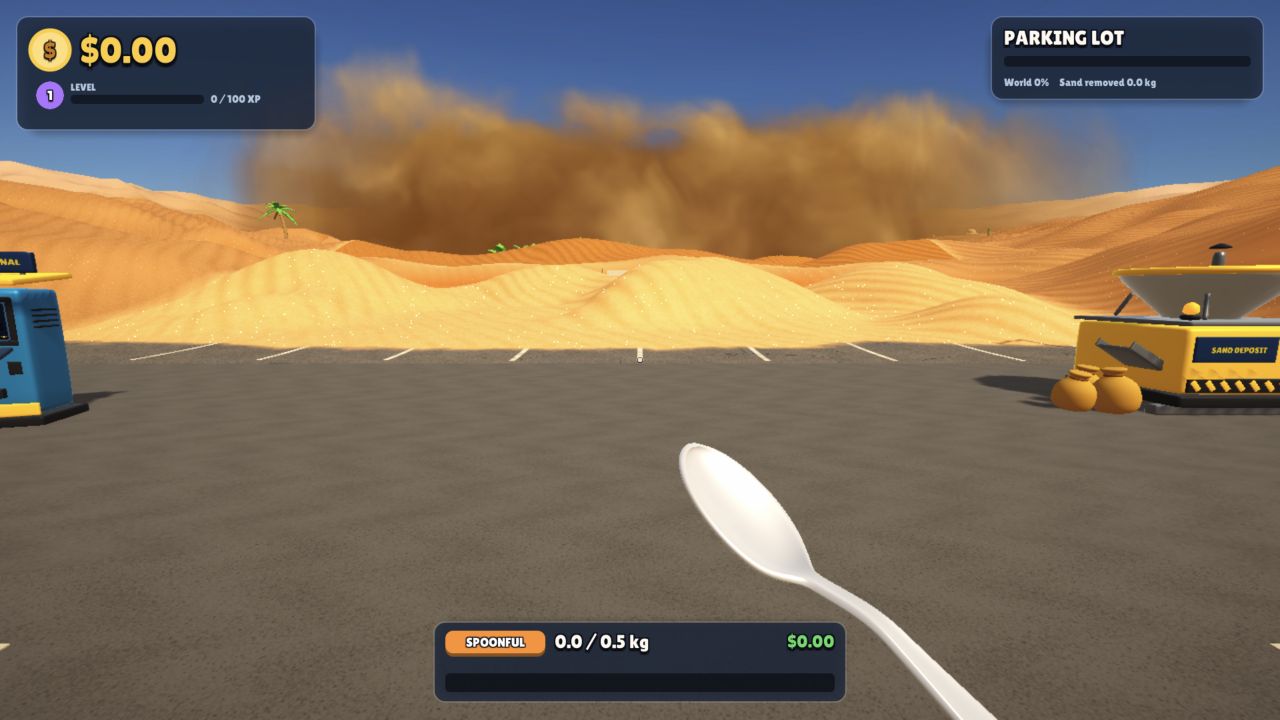
Game by Oliver Kuso. Screenshot captured by this site from the official itch.io demo, November 28, 2026.
All guides.
14 guides and resources for Every Last Grain, including this overview. Pick a numbered guide below.
Start here: official play link, first steps and guide directory.
The first dig, first sale and first upgrade.
Desktop keys and mouse capture explained.
Separate digging power from carrying capacity.
Names, reference values, search layers and a personal tracker.
What the demo actually lets you finish.
Developer announcements without guessed dates.
Why a desktop setup is recommended.
Browser data, updates and sealed saves.
Using and adjusting the treasure ping.
A practical browser troubleshooting order.
Dated official notes, player implications and evidence gaps.
Official browser link and desktop setup.
Eight browser alternatives, with their differences explained.
THE JOB
A desert.
A spoon.
A very long shift.
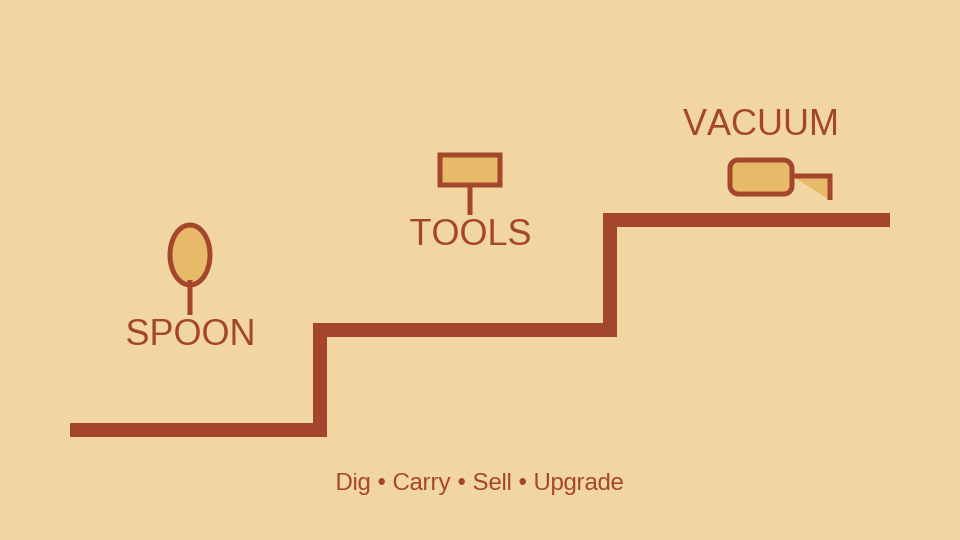
The Every Last Grain game is a first-person digging game by Oliver Kuso. A new owner hires you to remove a desert and pays for the sand by the kilogram. You begin with a spoon, then spend your earnings on equipment that changes the pace of the job. Dig, carry, sell and return to the lot with better tools. The free browser demo focuses on the Lot Edge, with 14 buried finds to uncover along the way. The author estimates about 30 minutes for a session, though collecting, experimenting and replaying can keep you digging longer.
Read the field notes: the game, finds and upgrade decisions
What kind of game is it?
Every Last Grain is a first-person digging and incremental game. You work directly on the sand, then use the proceeds to improve the next trip. Its progress is easy to read: material leaves the lot, a container fills, a sale funds another purchase. The equipment loop supports the excavation rather than replacing it with a separate management screen.
Oliver Kuso published the original project on itch.io on November 18, 2026. The free browser demo is an introduction to the Lot Edge. It is useful to think of that lot as the current playable job, rather than assuming that every area mentioned in development posts is already open. The author has described additional locations for the full game, but planned content should not be treated as a demo objective.
The session estimate is around half an hour. A first clear, a search for buried finds and a replay for a better time are different reasons to keep digging, so your session can take longer. The official total is 14 finds; our Every Last Grain 14 finds distinguish that confirmed number from the item-by-item evidence still being assembled.
You can play the original now on itch.io. For the destination and setup, use where to play Every Last Grain. Steam has been announced as a future platform, with no confirmed launch date in the posts reviewed here. Our Every Last Grain Steam status page separates those announcements from the available browser demo.
How to search for all 14 finds
Work through the accessible sand in small, neighboring strips. Start with a patch you can recognize, clear it carefully, then move to the next one. This suggested route helps you remember what you have searched without relying on a claimed fixed location for each object. Keep your collection information in view and write down the labels you actually see.
In Update 19, Treasure Sense becomes free when you clear 25% of Lot Edge. Keep its ping audible while inspecting remaining sand; the separate TREASURE PING slider lets you reduce the sound when it becomes distracting. Before calling a sandstorm, check remaining patches and use the LAST SAND guidance near a clear. Our Every Last Grain 14 finds gives you personal checkboxes and notes. Its slots are your own record order, and it does not read your game save or promise verified item coordinates.
Which part of the loop needs an upgrade?
Watch one full cycle before deciding what to buy. If most of your time goes into removing a small patch, inspect digging improvements. If the container fills quickly and you keep returning to the deposit, inspect carrying space. The terminal's current and next-level readouts help compare those options in the build you are actually playing.
This is a way to diagnose a bottleneck, not a fixed shopping route. A useful upgrade changes the slow part of your own cycle. Buying the next item just because it is affordable can leave the same problem in place. Read the Every Last Grain upgrades for the distinction between tools, motors, bags and tanks, then compare the price shown in your live game.
Near a clear, pay attention to the game's last-sand guidance instead of an older percentage shortcut. Completing a lot and choosing to refill it are separate actions. The Every Last Grain completion and replay explains the reviewed developer changes without presenting a replay as an extra story ending.
Source: Oliver Kuso's official project and development log. Reviewed November 27, 2026.
Build your digging rhythm.
- 01Fill. Sell. Repeat.
Start with the spoon and learn the route to the Sand Deposit. Your first full bag introduces the selling loop.
- 02Fix the bottleneck.
Tools change digging speed. Bags and tanks change carrying capacity. Choose which part of your current loop needs help.
- 03Clear, then explore.
Return with better equipment, uncover buried finds and work toward clearing the lot. Treat the full game's planned areas as future content.
Your first four moves.
- Open the original.Use Play above on a desktop. Let the official itch.io game finish loading.
- Take control.Click inside the game, move with WASD and dig with the left mouse button.
- Sell your sand.Follow the first-bag prompt to the Sand Deposit and use E to interact.
- Buy and return.Visit the Supply Terminal. Compare tools with carrying upgrades, then get back to digging.

Watch a full run
Complete demo walkthrough (video, all 14 finds)Third-party guide by AI Dreamscape Hub. Contains demo spoilers. Recorded before Update 19, so some skill advice may have changed.
On the published site, press play to watch in this page. Open on YouTube ↗Keep these keys close.
KEYBOARD & MOUSE
Controls pad
Click inside the official game to capture your mouse. Press Esc to release it.
- WASD
- Move & look around
Walk with WASD and use your mouse to look around the lot.
- Shift
- Sprint
Hold Shift to move faster while sprinting.
- Left mouseor hold E
- Dig and collect sand
Hold the left mouse button or E while aiming at sand.
- E
- Sell or open the shop
Use E near the Sand Deposit or Supply Terminal when its interaction prompt appears.
- J
- Open the Journal
Check Skills, Areas, Collection and Records. Use J for the Journal and P for the menu.
- Q
- Use an unlocked ability
Unlock the relevant skill first. The Sandstorm skill ability uses Q; the P-menu sandstorm refills the lot for a replay.
- P
- Open the game menu
Pause, adjust settings or save through the menu.
- Esc
- Release the mouse
Leave mouse capture or close an open window. Fullscreen may also close.
Before you go deeper.
Is Every Last Grain a free browser game?
Yes. The Every Last Grain game is available as a free Lot Edge browser demo on Oliver Kuso's official itch.io page. Play on a computer with a mouse and keyboard. This unofficial guide does not host the full game.
Can I play on my phone?
Use a computer with a mouse and keyboard. The developer's troubleshooting advice directs players to desktop Chrome or Firefox rather than a phone or tablet. Open the official itch.io page on your computer to play.
When is Every Last Grain coming to Steam?
The developer has confirmed plans for Steam, but has not announced a release date in the official posts checked on November 27, 2026.
How many endings are there?
Clear the visible sand at Lot Edge to reach the demo end card. Press P and use the sandstorm option, then confirm to refill the lot for another run. The reviewed official posts do not announce multiple narrative endings.
What if I am missing a relic?
Search the remaining accessible sand in a consistent route and check your collection count before restarting. Treasure Sense is free after clearing 25% of Lot Edge in Update 19; use its ping while inspecting the sand. The finds guide provides a personal tracker.
How long is the demo?
The author describes a roughly half-hour session at the Lot Edge. Your pace, time spent exploring and replay choices will change that.
Why does Play open itch.io?
The creator asks fan sites to link to the original itch.io page instead of embedding the game. Your gameplay and progress stay on the official version.
Every Last Grain 14 finds · Every Last Grain Steam status · Every Last Grain mobile setup · Every Last Grain completion and replay